

Quick answer
To make matching wallpapers for couples, pick one of eight designs (split heart, sun and moon, one line, our stars, pixel heart, puzzle pieces, waves or lock and key), choose the colours, add an initial or name for each screen and pick your phone size. The tool draws one picture across two screens and cuts it down the middle, so the halves line up when you hold your phones side by side. Save both PNGs, or send your partner the link so they save their half. Every design is original and free to use.
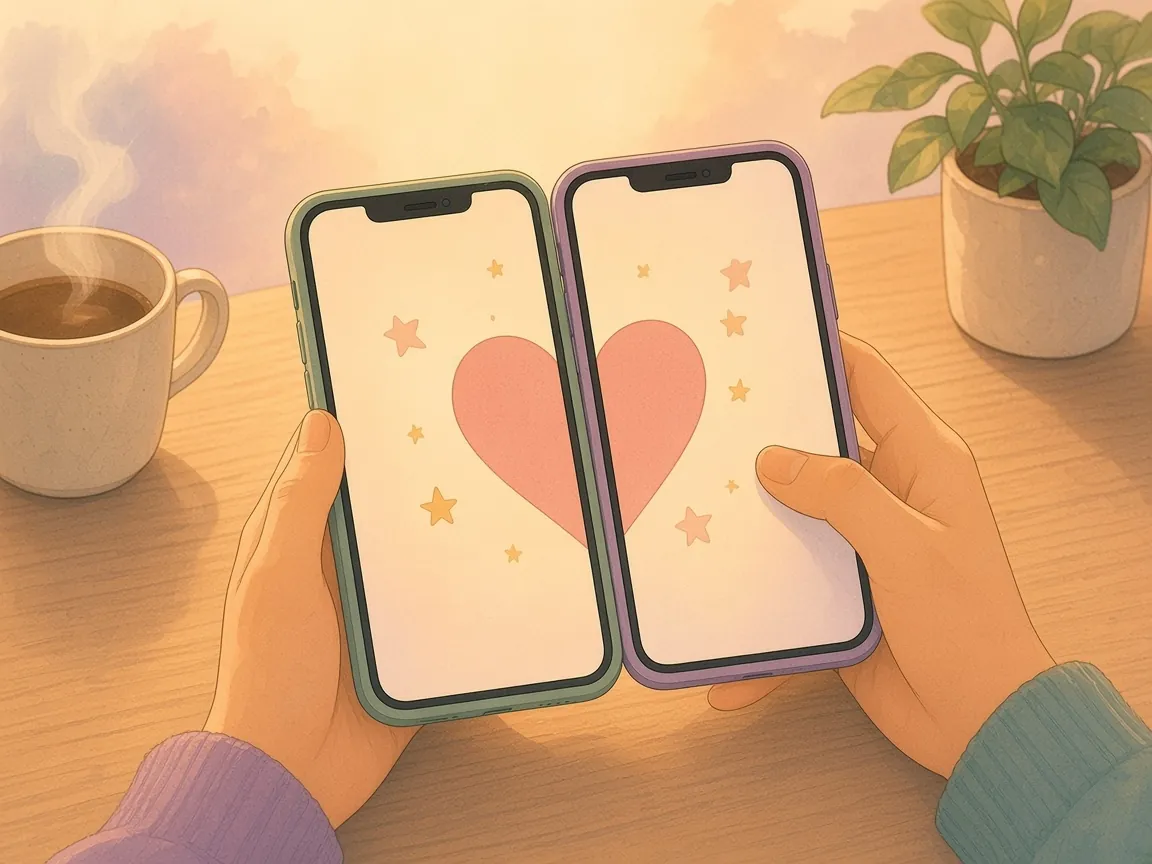
How to make matching couple wallpapers
Long distance? You do not need to send the image files. Press “Copy link for your partner” and send the link: it opens the same design on their phone, and they save the one on the right.
- Choose a design. The preview shows both phones next to each other, so you can see how the halves join.
- Pick a colour palette: blush, lavender, sage, midnight, peach or black and white.
- Add a short word for each screen if you like: initials, names or nicknames. Add a date or a couple of words to show small on both screens.
- Keep “Leave space for the lock-screen clock” on if you want the artwork to sit below the time and widgets.
- Choose iPhone, Android or This phone, then press “Save both wallpapers”, or save just yours or just theirs.
- Set it as your wallpaper. On most phones, open the image in your photos and choose “Use as wallpaper”.
The eight designs and how they match
Every design is drawn in code by the tool, in your browser. There are no stock photos, cartoon characters or film stills, so you never have to worry about whose artwork you are using. Each one is built across the two screens first, then split, which is why the line, the heart or the sky carries on perfectly from one phone to the other.
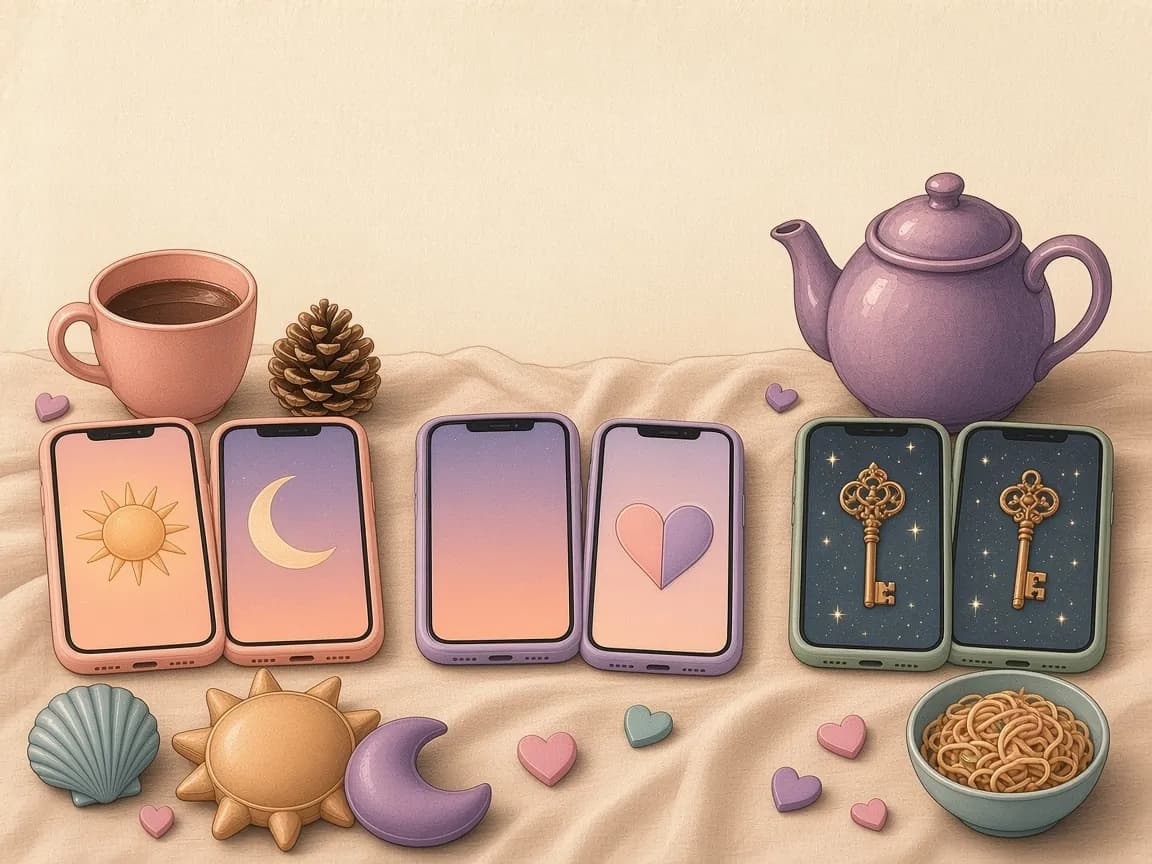
| Design | Your screen | Their screen |
|---|---|---|
| Split heart | The left half of a big heart | The right half |
| Sun and moon | A warm sky and the sun | A starry night and a crescent moon |
| One line | A line that starts at the edge and curves up | The same line finishing the heart |
| Our stars | Half a heart-shaped constellation | The other half |
| Pixel heart | A retro 8-bit half heart | The matching half |
| Puzzle pieces | A piece with a tab | The piece with the gap it fits |
| Waves | One half of a sea at sunset | The other half |
| Lock and key | A heart padlock | Its key |
Getting the size right for your phone
Phones have many slightly different screen shapes. The iPhone option saves at 1179 × 2556 pixels and the Android option at 1080 × 2400, both tall shapes that suit most recent phones. The This phone option reads the exact resolution of the screen you are using, which gives the sharpest result when you make the wallpaper on the phone itself.
If your phone's screen is a little different, it simply crops the edges to fit. The designs keep their important parts near the middle, so a small crop does not spoil the match. If your phone zooms the wallpaper when you set it, turn off any perspective or motion zoom option in the wallpaper settings.
Lock screen or home screen?
On the lock screen, the clock and widgets sit at the top, which is why the clock-space option moves the artwork lower. On the home screen, app icons cover much of the picture; designs with one big shape, such as Split heart or Pixel heart, still read well behind icons. Many couples use the matching pair on the lock screen and a favourite photo on the home screen.
Ideas for using your matching wallpapers
A surprise on a visit
Set your half before you meet, then put your phones together at the airport or station.
An anniversary reveal
Add your date in small letters and send the link on the day, along with an anniversary card.
A shared season
Pick Waves in summer, Our stars in winter, and change them together when the season turns.
Across time zones
Use Sun and moon when one of you is starting the day as the other ends it. The time zone overlap calculator finds the hours you share.
A countdown pair
Write the number of days until your next visit as the date text, then update it each week. The countdown until we meet does the counting.
Your own photo instead
Prefer a photo of the two of you? Make a side-by-side picture with the couple photo collage maker.
Why matching wallpapers mean more when you live apart
When you live in different places, small shared things matter: the same song on repeat, the same film on the same evening, the same picture on both phones. Every time you unlock your phone, you see half of something that only makes sense with the other half. It is a quiet way to feel connected many times a day without needing to say anything.
If you like small daily rituals like this, our guide to daily rituals for long-distance couples has more ideas, from good-morning voice notes to shared playlists.
Q & A
Frequently asked questions
How do matching couple wallpapers work?
One picture is drawn across two phone screens and split down the middle. Each of you sets one half as your wallpaper, and the picture is complete when you hold your phones side by side.
Are these wallpapers free to use?
Yes. Every design is original artwork drawn by the tool, with no copyrighted characters or photos, so you can use your wallpapers freely on your own phones.
How do I send my partner their half?
Press “Copy link for your partner” and send the link. It opens the same design on their phone, where they press “Save theirs”. You can also save both images and send the right-hand one directly.
What size are the wallpapers?
The iPhone option saves at 1179 × 2556 pixels and the Android option at 1080 × 2400. The This phone option uses your screen's exact resolution. All are PNG files.
Will the clock cover the design?
Keep “Leave space for the lock-screen clock” switched on and the artwork sits lower on the screen, below the time and widgets.
Can I put our names or a date on them?
Yes. Add a short word for each screen, such as initials, and an optional date or a couple of words that appear small on both screens.
Does Lovelle save what I type?
No. The tool runs in your browser and nothing you type is sent to or stored on Lovelle's servers. When you share, your choices travel inside the link after the # sign, which browsers do not send to websites. That part is not encrypted, so anyone with the link can read it. Share it only with the person it is meant for.
Keep reading
Every design is original artwork drawn in your browser. Your wallpapers are created on your device and nothing is uploaded. Last updated 25 October 2026.